

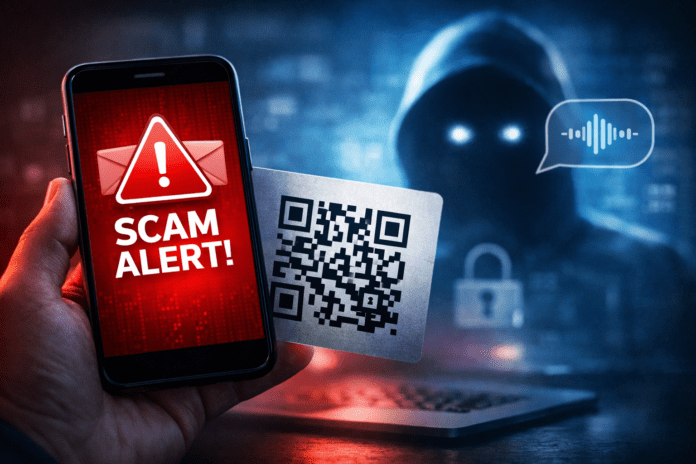
The 3 Biggest Digital Scams of 2025—and How to Protect Yourself Without Panic
In 2025, most scams don’t look “scammy.” They look fast, familiar, and frustratingly plausible. A text that sounds like a delivery update. A QR code that promises an instant payment. A message that reads like your boss wrote it—or a call that sounds like a relative in trouble.
The bad news: attackers improved their tools. The good news: the best defenses still rely on simple habits, not technical wizardry.
(See the FTC’s guidance on recognizing and avoiding phishing scams: https://consumer.ftc.gov/articles/how-recognize-avoid-phishing-scams)
When you build a short, repeatable routine, you stop most attempts before they reach your wallet or your accounts.
Here are three rules that quietly do the heavy lifting:
-
Never obey urgency on a 30-second deadline.
-
Never “fix” an account by clicking a link you didn’t request.
-
Never pay because someone says you’ll “lose access” if you don’t act now.
With that foundation, let’s break down the three scams that dominated 2025—and the practical moves that keep you safe in real life.
1) Smishing: The Text Message Trap That Mimics Real Alerts
Smishing (SMS phishing) succeeds because it borrows credibility. It impersonates delivery services, banks, government agencies, and popular platforms, then adds a pressure cue: act now, or something bad happens.
Common 2025 patterns include:
-
“Package held—confirm your address”
-
“Payment failed—verify your account”
-
“Toll fine due—pay immediately”
-
“Security alert—reset your password”
Sometimes the goal is direct theft. Often it’s more strategic: attackers want your login, a one-time code (OTP), or access to your email so they can reset everything else.
How to spot it quickly
-
It creates urgency (“final notice,” “today only,” “account will be locked”).
-
It uses a link that looks off (shortened URL, odd domain, small misspellings).
-
It pushes you to “verify” outside the official app.
-
It asks for a code you just received—especially an OTP.
How to protect yourself without overthinking
-
Don’t tap links in texts. Open the official app or type the site yourself.
-
Never share OTP codes. Legit support never needs your one-time code.
-
Use an authenticator app for 2FA when possible. It blocks many takeover attempts.
-
Harden recovery settings. Secure your email first, then everything else.
One habit matters most: when a text tries to rush you, take the “long way” on purpose. Real companies won’t punish you for verifying through official channels.
2) QR Code Scams (Quishing): When Convenience Becomes a Shortcut for Attackers
QR codes were built for speed. Attackers love them for the same reason. A QR code hides the destination until you scan it, which means you don’t get the usual visual warning signs you rely on with links.
In 2025, QR scams showed up more often in:
-
sticker overlays on real posters, menus, parking meters, and kiosks
-
“pay here” codes placed in high-traffic public spaces
-
emails that tell you to scan a QR code for “verification” or “secure login”
The most common red flags
-
The QR looks like a sticker slapped over another code.
-
It routes you to a page that asks for a login, card details, or “confirmation.”
-
The message around it pressures you: “Only way to pay,” “Expires today,” “Avoid fees now.”
Practical defenses that actually stick
-
Scan, then pause. Check the URL preview before you continue.
-
Avoid logging in from a QR code. Use the official app or a bookmarked site.
-
Treat web forms as suspicious for payments. If a QR drops you into a random payment form, back out.
-
Prefer official payment paths. Wallet apps and verified merchant flows reduce risk.
QR codes aren’t “bad.” Hidden destinations are the problem. Once you train yourself to read the URL preview, you take away the attacker’s biggest advantage.
3) AI Impersonation: When Someone “Becomes” a Person You Trust
The third major scam of 2025 doesn’t rely on sloppy spelling or obvious fake logos. It relies on imitation. Attackers combine public information (social posts, leaked details, email patterns) with AI tools to mimic writing style, tone, and sometimes even a familiar voice.
They don’t need perfection. They need a short window—30 to 90 seconds—where your brain decides, This feels real. Inside that window, they ask for something small but costly:
-
an urgent bank transfer
-
gift cards for a “client” or “team member”
-
a change to invoice payment details
-
a password reset link or one-time verification code
Signals that give the game away
-
The request bypasses normal process (“Don’t loop anyone in,” “Just do it now”).
-
The message tries to move channels quickly (email → WhatsApp, DM → phone call).
-
The payment method feels unusual or hard to reverse (gift cards, crypto, “new bank details”).
-
The urgency escalates the moment you hesitate.
The best defense: verify identity on an independent channel
When a message involves money, access, or codes, don’t reply in the same thread. Verification works only when you change lanes.
Use one of these moves:
-
Call the person using a known number (not the one in the message).
-
Confirm via a different channel you already trust (text → call, email → Slack, DM → phone).
-
Use a shared passphrase for family or a small team. A simple phrase stops even convincing voice mimicry.
Independent verification wins because it adds time. Time dissolves most scams.
The 60-Second Rule: A Checklist Before You Click, Pay, or Log In
If you keep one tool from this article, keep this. When something feels urgent, take 60 seconds and run five questions:
-
Who is asking? Do I know this identity is real?
-
Why now? What happens if I wait two minutes?
-
Where does this lead? Is a link or QR pushing me into login or payment?
-
Can I use the official path? App, bookmarked site, or typed URL.
-
Can I verify independently? Call, separate channel, or passphrase.
If even one answer doesn’t fit, stop. You don’t lose anything by pausing. You often prevent the entire loss.
Low-Friction Security Upgrades That Reduce Risk Fast
You don’t need a new personality to become “cyber safe.” You need a few settings that quietly block common attack chains.
On your phone
-
Enable SIM PIN if your carrier supports it. It makes SIM-swap attacks harder.
-
Keep auto-updates on. Updates close widely exploited holes.
-
Limit link previews from unknown senders where your platform allows it.
On your accounts
-
Secure your email first. If attackers control your email, they can reset everything else.
-
Use a password manager to generate unique passwords.
-
Prefer authenticator-based 2FA instead of SMS when available.
-
Review recovery options (backup email, phone, recovery codes) and keep them current.
On payments and purchases
-
Never change payment details based on a single message. Verify by phone or an internal process.
-
Treat “too good” deals and “too urgent” warnings the same way. Both aim to shrink your thinking time.
These steps don’t make you paranoid. They make you harder to fool.
If You Already Fell for It: What to Do in the First 10 Minutes
Mistakes happen. The key is what you do immediately afterward. Fast, structured action limits damage and restores control.
-
Stop the exposure
-
Close the page or app.
-
If you suspect ongoing access, disconnect briefly (airplane mode for a moment), then reconnect so you can change credentials safely.
-
-
Reset the most important keys
-
Start with your email password (the master reset point).
-
Then change the password on the targeted account (bank, marketplace, social platform).
-
Replace any reused passwords everywhere.
-
-
Force sign-outs and remove unknown devices
-
Use “Sign out of all devices” where available.
-
Check recent logins and remove anything unfamiliar.
-
-
Contact your bank or card issuer if money is involved
-
Freeze the card, dispute charges, or request replacement.
-
Report unauthorized transfers immediately.
-
-
Document what happened
-
Take screenshots of messages, URLs, and timestamps.
-
Save sender numbers and email headers if you can.
-
Don’t delete evidence until you’ve captured the details.
-
This sequence doesn’t require deep technical skill. It requires calm execution.
A Simple Protocol That Protects Families and Small Teams
Scams hit hardest where there’s no shared rulebook. A basic three-rule protocol prevents most “urgent request” attacks.
-
Payment rule: no transfer, gift card, or invoice change without independent verification.
-
Code rule: no one shares OTP codes or reset links—ever.
-
Urgency rule: when a message “can’t wait,” apply the 60-second checklist.
In a workplace, add one more: define a fixed approval path for payments and vendor changes. Attackers thrive on ambiguity; clear process starves them.
What Really Changed in 2025—and Why It Matters
The common thread across smishing, QR scams, and AI impersonation isn’t technology. It’s psychology.
Attackers don’t need to outsmart you. They need to hurry you. They build pressure, narrow your options, and push you into a single action before you can verify.
That’s why the strongest defense isn’t memorizing every scam. It’s building two consistent habits:
-
Use the official path (app, typed URL, trusted bookmark) instead of the link you were handed.
-
Verify independently whenever money, access, or codes are on the line.
Those habits still work even when the message looks perfect.
The Takeaway
You don’t need to fear the internet in 2025. You need to treat it like a busy intersection: cross with rules, not luck.
Smishing, QR-code scams, and AI impersonation take different forms, but they share the same goal—make you act fast. The moment you slow down, they lose leverage. Apply the 60-second rule, verify on a separate channel, and choose official routes for logins and payments. That combination cuts risk dramatically without turning daily life into a security drill.
Διαβάστε το ελληνικό άρθρο εδώ.