

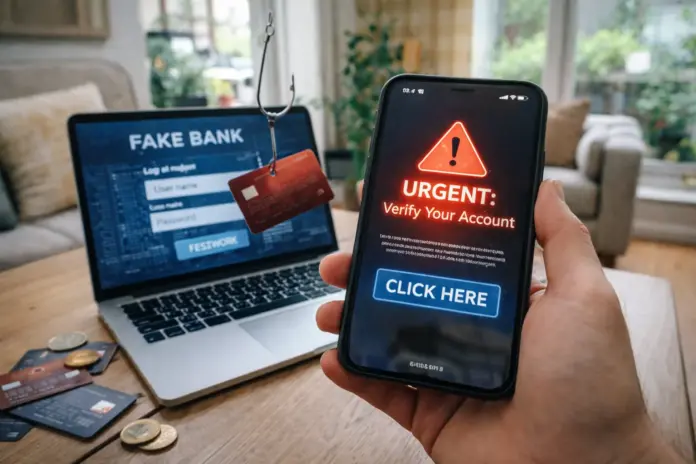
Why modern scams still work on experienced users
Today’s online scams rarely look “obviously fake.” Most succeed because they mirror real life: delivery updates, account security checks, payment confirmations, marketplace chats, subscription renewals. The scammer’s advantage is speed. They push you to act before you verify.
Modern fraud typically combines three ingredients:
-
Familiar context (banking, couriers, marketplaces, “support teams”)
-
Time pressure (“urgent,” “last warning,” “limited window”)
-
A small action that feels harmless (tap a link, confirm a login, “verify” details, install an app)
The goal is not to prove you’re careless. The goal is to turn your attention into a reflex.
If you want a broader library of practical explainers in English, you can browse our Explainers section.
The core rule: scammers don’t need your money first—they need your access
Most “new generation” scams are built around credential theft and session hijacking:
-
They capture your username/password (or get you to approve a prompt)
-
They grab one-time codes (OTP) or push approvals
-
They take over accounts and pivot into money, identity, or more victims
That’s why the most reliable defense is not “spotting typos.” It’s learning to recognize the request: any message that tries to move you into a login, a code, or a payment under pressure is the risk.
The most common scenarios, step by step (what happens in the real world)
1) “Verify your account” phishing (email/SMS/DM)
-
You receive a message that appears to come from a known service.
-
It claims there’s a security issue, a charge, or a blocked account.
-
It pushes a link to “verify,” “unlock,” or “confirm.”
-
The page looks real and asks you to sign in.
-
If you enter credentials (or an OTP), the attacker uses them immediately.
Practical takeaway: Never sign in through a link you received in a message. Use the official app or type the site yourself.
2) Fake support (“we’re security—help us protect you”)
-
You get contacted by “support” on social media, email, or phone.
-
They create urgency: suspicious login, refund, chargeback, device compromise.
-
They ask you to “confirm” details, share a code, or install a “help tool.”
-
Access is granted, and the takeover begins.
Practical takeaway: Real support does not ask for your one-time codes. Ever.
3) Marketplace and secondhand listing scams
-
A buyer is unusually eager and tries to move you off-platform.
-
They propose a “secure payment” link or “shipping confirmation.”
-
The link leads to a fake checkout or a fake “funds on hold” screen.
-
You’re pushed to enter card details or login credentials.
Practical takeaway: Staying inside the platform’s official flow is not perfection—but it reduces risk dramatically.
For more tech-and-safety coverage in English, you can also explore Technology.
The red flags checklist that should stop you immediately
If you notice two or three of these at once, pause and verify through official channels.
-
Time pressure (“act now,” “within 30 minutes”)
-
A link is the only solution (“click here to fix it”)
-
Requests for one-time codes (OTP, “verification code,” “security code”)
-
Requests to install an app or allow “accessibility” / “remote help”
-
A sudden refund or charge dispute you didn’t initiate
-
A channel switch (“message me on WhatsApp/Telegram”)
-
Payment to a third party or a new beneficiary “for processing”
-
A sense of “this feels slightly off” (trust that signal)
-
A too-good-to-be-true offer with immediate payment pressure
-
Unusual login prompts when you weren’t trying to sign in
-
Unexpected QR codes asking you to “confirm” something
-
A request to keep it quiet (“don’t contact the bank yet”)
Protections you can apply today (practical, not complicated)
A) Messages: remove the link from your workflow
-
Don’t sign in from links in SMS/email/DMs.
-
Open the official app, or type the website yourself.
-
If it’s important, it will still be there when you check directly.
B) Accounts: make takeover harder
-
Use unique passwords per service (a password manager helps).
-
Turn on two-factor authentication (2FA) wherever possible.
-
Prefer an authenticator app over SMS when you can.
C) Payments: add a 10-second verification habit
-
Confirm beneficiary name, amount, and purpose before approving.
-
Don’t approve payments while someone is pressuring you live on a call.
-
Avoid storing cards on services you don’t trust long-term.
D) Phone safety: cut off the common “app install” trap
-
Don’t grant accessibility permissions to unknown apps.
-
Keep your phone updated.
-
Reduce lock-screen notification previews so codes aren’t exposed.
For an institutional, plain-language guide to phishing recognition, the Federal Trade Commission’s phishing advice is a strong reference.
Next, we cover “newer” patterns—QR traps, AI-enhanced impersonation, and refund scams—without hype, so you can spot the structure early.
What’s newer in scams—and what hasn’t changed
Scam techniques evolve, but the underlying structure stays consistent: urgency + imitation + a forced action.
1) QR code traps (“scan to confirm”)
You see a QR code in a message, on a listing, or even on a sticker placed over a real one. The code leads to a fake login or payment page.
How to reduce risk: Treat QR codes like links. Verify where they lead before you act, and avoid scanning codes from unknown sources.
2) “Refund / charge reversal” scams
You’re told there was a charge and you must cancel it. The scam uses fear of loss to push you into a login flow or a phone call where you’re pressured to approve actions.
How to reduce risk: Check your account history inside the official app/site you already use. Don’t use the contact details inside the suspicious message.
3) “Support” impersonation in search and social
Scammers create look-alike support pages and ad-like posts. They appear when you search for help, then direct you to a chat or phone call that extracts credentials or approvals.
How to reduce risk: Navigate to support from the company’s official website or inside the app, not from a random listing.
4) AI-enhanced messaging (no drama, just reality)
AI often improves the quality of scam writing and makes scripts more convincing. That doesn’t make scams unstoppable. It means you should evaluate the request, not the grammar.
How to reduce risk: Any message asking for a code, login, payment, or app install under time pressure is a stop signal.
If you clicked or shared information: what to do immediately
-
Stop the interaction (close the page, end the call).
-
Change the password on the affected account—then change it anywhere else you reused it.
-
Sign out of all sessions (most services offer “log out everywhere”).
-
Contact your bank/service using official channels if money or cards were involved.
-
Review device permissions and remove unknown apps—especially anything with accessibility or admin access.
-
Document what happened (message screenshots, time, channel). It helps support teams and any formal report.
Next, we wrap with a simple 60-second protocol that prevents the majority of everyday scam losses—and a clean conclusion suitable for an hreflang pair.
What this means for you: the 60-second protocol before any click or payment
Step 1: Pause the urgency
If it feels urgent, slow down. Urgency is the scammer’s tool.
Step 2: Remove the link
Don’t click. Open the app or type the site yourself.
Step 3: Never share one-time codes
No matter what story you’re told, never share OTPs or approval codes.
Step 4: Verify through an official path
If money is involved, verify via your bank’s official app/number—not contact details inside a message.
Step 5: Ask the “benefit” question
What does the other person gain if you do this? If the answer is access, money, or identity data, stop.
You can always route readers to Newsio’s main coverage hub as well: Newsio.org.
Clear conclusion
The new wave of online scams succeeds because it imitates real workflows and pressures users into fast actions. The strongest defenses are simple and repeatable: don’t sign in from message links, never share one-time codes, verify through official channels, and keep account protections (unique passwords, 2FA) in place. These habits don’t require technical expertise—but they dramatically reduce risk.
Short summary
Modern scams use realistic scenarios (account verification, fake support, marketplace payments, refunds) and rely on urgency. Use the red-flag checklist, avoid message links, never share OTPs, and adopt a 60-second verification routine before clicks or payments.